
AI Image Generation
Text-to-image and image-to-image in one panel
- Text-to-image & image-to-image, one click toggle
- Multiple models: Seedream / Nano Banana / GPT-Image-2
- Tunable aspect ratio, count, strength
- Auto-saved to "My Creations"
What is it
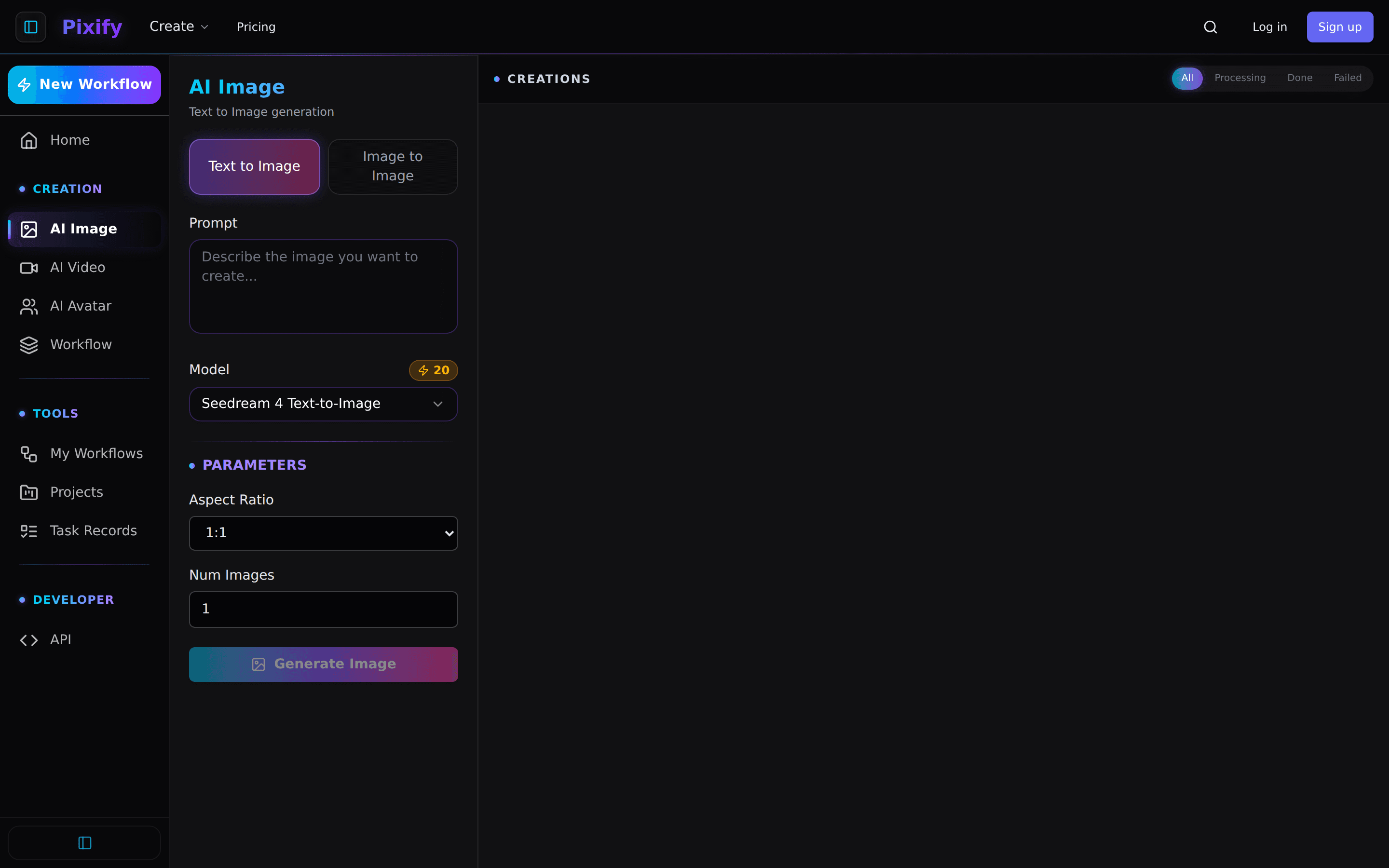
Floniks AI Image is a single-step generation tool. Type a prompt on the left, pick a model and aspect ratio, hit Generate Image — high-resolution images appear in 10-30 seconds. Got a reference image? Switch to Image to Image and upload it with editing instructions. Every result is auto-archived to My Creations for download, favoriting, or further editing.
How to use it
Get started in 5 steps
- 1
Open the AI Image tool
Click "AI Image" in the left nav. First-time users sign up and get started immediately.
- 2
Pick a mode: text-to-image or image-to-image
Text to Image — generate from scratch by description. Image to Image — upload a reference for style transfer, local edits, or expansion.
- 3
Write your prompt and adjust parameters
Specific prompts work best (subject, style, camera, lighting). Below: choose a model (Seedream 4 general-purpose, Nano Banana for precise edits, GPT-Image-2 for best value), aspect ratio, count.
- 4
Hit Generate Image
Credits are deducted (shown on the Model chip). The task appears in the right Creations panel with live progress. Done images auto-preview.
- 5
Save or keep editing
Download, favorite, or click "Edit in Workflow" to drop the result into Workflow Editor for downstream nodes (Upscale, Remove Background).
Use cases
What other users build with it
E-commerce hero shots
Upload a white-background product photo, then use Image to Image to add scene, lighting, style.
Social media posts
One-line prompts → square (1:1), vertical (9:16) ready for Instagram / TikTok.
Concept art
Visualize ideas in seconds — faster than briefing a designer.
Character portraits
Pair with Character nodes to keep one character consistent across multiple views.
Why Floniks
No workflow knowledge needed
AI Image is a single page — from open to result in under 1 minute.
Multi-model, one wallet
Seedream / Nano Banana / GPT-Image-2 without juggling accounts. Unified credits.
Seamless workflow handoff
Like an image? One click sends it to Workflow Editor for upscale, background removal, video conversion, and more.
Frequently asked questions
How many credits per image?
+
Do failed generations cost credits?
+
Can I use the images commercially?
+
What resolution do I get?
+
Ready to start?
No card required. Sign up and get started in seconds.
Generate your first image