
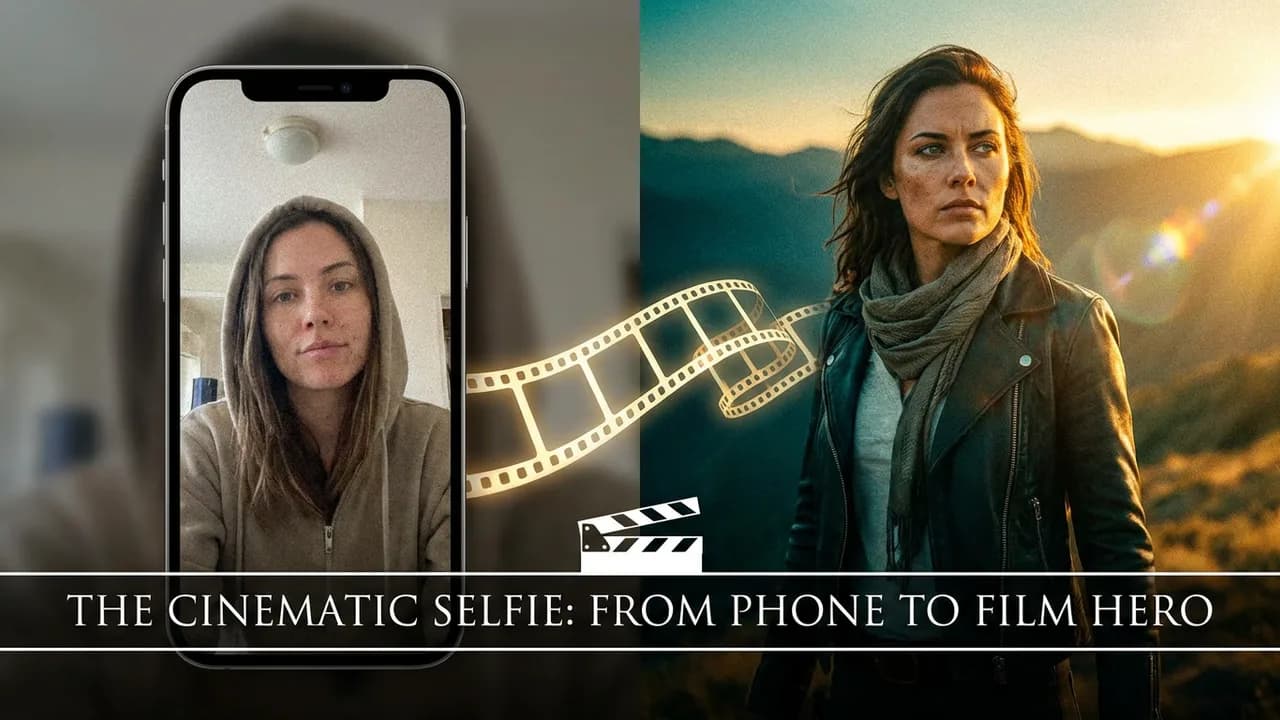
Upload one photo. Star in a movie.
Most of us have a camera roll full of ordinary photos — a selfie by the window, a snapshot from a trip, a plain headshot. What if a single one of those could become a cinematic movie still: you, restyled as the lead of a film, lit like a Roger Deakins frame, with the movie's title and a fitting line of dialogue set across the frame like real poster key‑art?
That is exactly what the new Movie Poster tool on Floniks does. You upload one photo — that's the entire input — and the AI does three things in sequence:
- Reads your photo and matches it to a real film whose mood, lighting, and energy fit you.
- Repaints you as the lead of that film, keeping your face and identity recognizably you, while restyling wardrobe, environment, color grade, and lighting to match the movie.
- Adds the title and a quote — the matched movie's name and a fitting line of dialogue, rendered as designed movie‑poster typography right in the image.
No prompts to write. No models to configure. No editing. Just a photo in, and a movie still out.
Quick answer: To turn a photo into a movie still, open Floniks Movie Poster, upload one clear front‑facing photo, optionally pick a mood (Auto, Noir, Sci‑Fi, Western…) and turn on With text, then click Create Movie Still. In about a minute the AI matches you to a film, repaints you as the lead with your identity preserved, and renders the movie title and a quote as poster typography on the frame — ready to download or share.
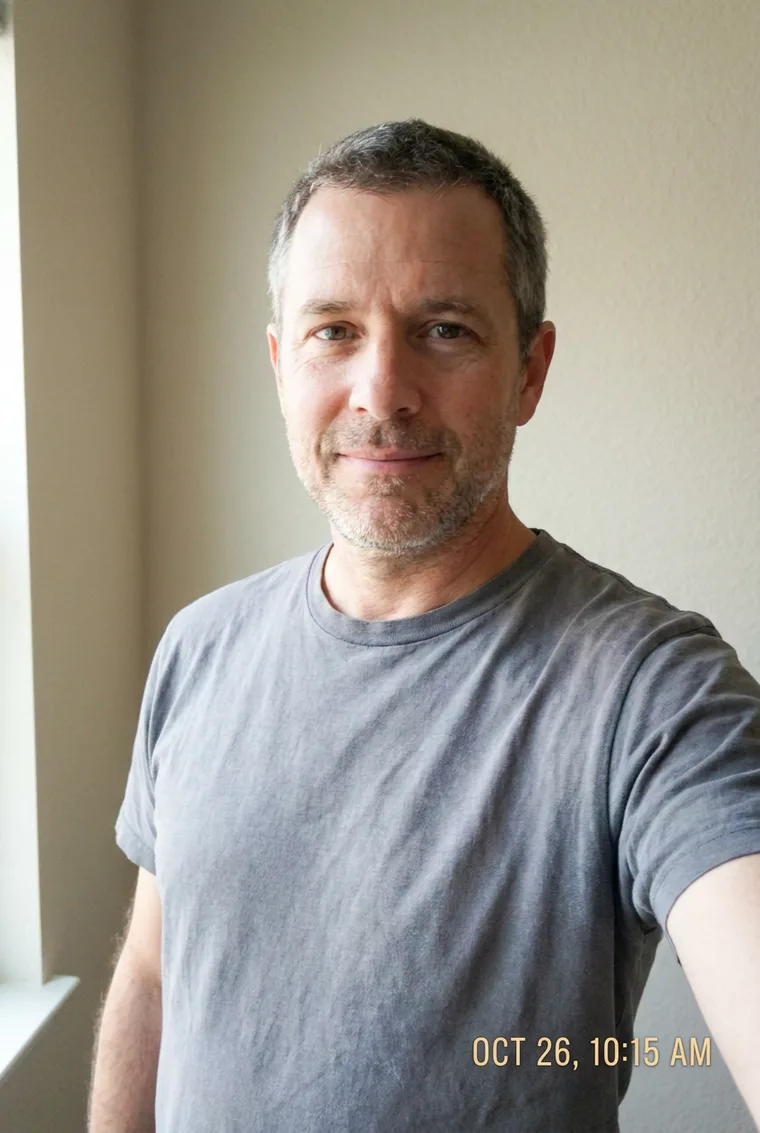
The input: one ordinary photo.

The output: the same person, cast into a western — same face, new world.
Why this is different from a normal AI filter
Plenty of apps slap a "cinematic" look on a photo. Two things make this feel like an actual film frame instead of a preset:
- It picks the movie for you. Instead of one generic "cinematic" style, the AI looks at your photo — your expression, age, styling, the light — and chooses a film whose visual language genuinely suits you. A quiet, contemplative portrait might land in the world of a slow-burn drama; a confident, moody shot might become neo-noir. The match is what makes it feel intentional.
- It keeps your identity. This is a restyle, not a face-swap and not a "generate a random person" text prompt. The goal is that a friend looking at the result immediately says "that's you — but in a movie." Same face, same features; new world around you.
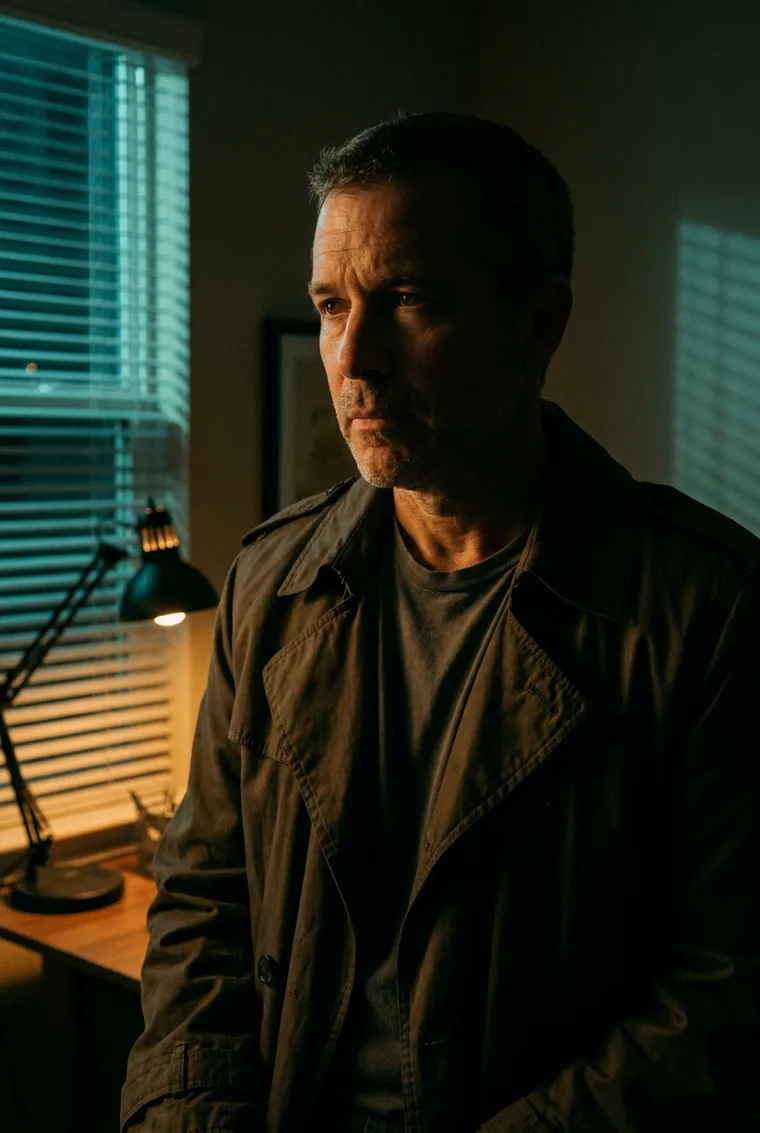
Same photo, a different film — the match changes the whole world around you, but it's still unmistakably you.
Under the hood it's the same philosophy as the rest of Floniks: use the right model for the job, and keep the person consistent. If you've read our post on character consistency in AI video, this is the single-image cousin of that idea.
Did you know? The title and quote aren't a sticker pasted on afterward. Floniks asks the image model to paint the lettering into the scene itself — matched to the film's real poster style, color‑graded to the light, and composed so it never covers your face. That's why a Blade Runner match comes back with glowing orange‑and‑teal type, while a western arrives in weathered slab serif.
How to make one (about 60 seconds)
- Open Movie Poster.
- Upload a photo. A clear, front-facing shot with your face well-lit works best — the same rules that make a good talking avatar portrait apply here.
- (Optional) Pick a mood — Auto-match, Epic, Noir, Sci-Fi, Romance, Western, or Thriller. Leave it on Auto and the AI chooses the best fit; pick one to steer the vibe.
- (Optional) Choose With text or Without text — with the movie title and quote rendered as poster typography on the still, or a clean frame with no lettering.
- Hit Create Movie Still. Your result appears in the panel on the right, ready to download or share.
That's the whole flow. One upload, one click.
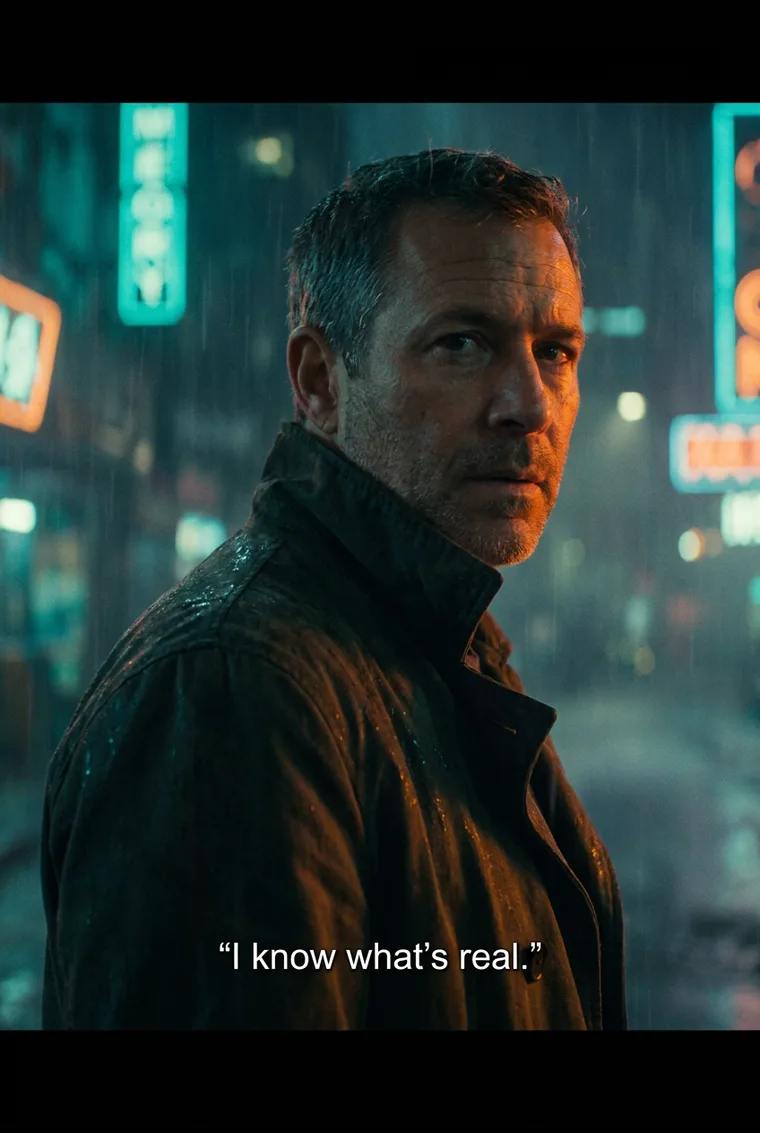
With text on: the film title and a quote are rendered as designed poster lettering, color‑matched to the scene.
The AI prompt behind it (for the curious)
You never write a prompt — but there is one, and understanding it is a small masterclass in getting cinematic, identity‑safe results from any image model. Floniks builds the prompt in two layers:
- A vision pass reads your photo and returns a compact brief: the matched film, its visual style (color grade, lighting, era), a fitting quote, and the film's title typography (e.g. "bold condensed orange‑and‑teal sci‑fi lettering").
- An image‑to‑image pass repaints you using that brief. The prompt leads with a hard identity constraint — same face, same features, same age and hair, clearly recognizably the same person — and only then restyles wardrobe, world, and light. When text is on, a typography instruction is appended: render the title and quote as poster key‑art, spelled exactly, legible, color‑matched, and never covering the face.
If you like writing your own prompts, the takeaways transfer everywhere:
- Lead with identity, restyle second. State what must not change before you describe the new world, or the model drifts toward a generic new face.
- Name a real film's look, not just "cinematic." "Teal‑and‑amber, anamorphic haze, neon rim light" beats "make it look like a movie" every time.
- Ask for text as designed type. Tell the model the lettering style, demand exact spelling and legibility, and place it so it doesn't cover the subject. Modern models render poster type remarkably well when you direct it.
Use cases: where a movie still actually earns its place
This is a "wow" tool, but it's genuinely useful in a lot of everyday spots:
- Profile pictures and avatars. A cinematic still stands out far more than a plain selfie on social, Discord, or a team page.
- Social content and reels. "What movie would you star in?" is a naturally shareable format. Post the before/after, or the movie match reveal.
- Gifts and keepsakes. Turn a photo of a friend, partner, or parent into "their movie." A birthday card, a printed poster, a couple's still — it lands because it's personal.
- Creators and fan culture. Cast yourself (or a character) into the aesthetic of a beloved genre for thumbnails, cover art, or channel branding.
- Events and communities. Give attendees a themed movie still from their photo — a film festival, a launch party, a fandom meetup.
- Personal branding. A striking, cinematic headshot for a talk bio, a newsletter header, or an "about" page reads as premium and memorable.
- Mood boards and pitches. Filmmakers and photographers can quickly visualize "what would this person look like in that film?" as reference.
Because the result is a still image, it drops cleanly into anything — a post, a slide, a print, a video thumbnail.
Who it's for
- Anyone who just wants something cool from a photo. No creative skills required — the tool does the directing, casting, and lighting for you.
- Social creators and community managers who need eye-catching, on-theme visuals fast.
- Gift-givers looking for something personal that isn't another mug.
- Designers, marketers, and small teams who want premium profile art or campaign visuals without a photoshoot.
- Film and photography enthusiasts who love the language of cinema and want to play with genre and identity.
If you can upload a photo, you're the target audience.
Tips for the best result
- Use a clean, well-lit, front-facing photo. The clearer your face, the stronger the identity match.
- One person per photo. A single clear subject gives the AI the best canvas.
- Try Auto first, then steer. Auto-match usually finds a flattering film; if you have a genre in mind, switch the mood and regenerate.
- Generate a few. Like a real casting session, it's worth trying two or three — different films suit different sides of the same face.
Frequently asked questions
How do I turn my photo into a movie still? Open Floniks Movie Poster, upload one clear front‑facing photo, optionally pick a mood and turn on With text, then click Create Movie Still. In about a minute you get a cinematic still with your identity preserved and the movie title and quote rendered as poster typography.
Does it keep my face, or is it a face swap? It keeps your face. Movie Poster is an image‑to‑image restyle with a hard identity constraint — same face, features, age, and hair — so the result is recognizably you, just cast into a film. It is not a face swap onto someone else and not a random generated person.
How does it add the movie title and quote? When With text is on, the image model paints the title and quote directly into the frame as designed movie‑poster typography — matched to the film's real poster style and color‑graded to the scene — rather than pasting a flat caption on top afterward.
Which movie will it pick? The AI reads your photo — expression, age, styling, and lighting — and matches a real film whose visual language fits. Leave the mood on Auto to let it choose, or pick Noir, Sci‑Fi, Western, Romance, Thriller, or Epic to steer the match.
What photo works best? A clear, well‑lit, front‑facing photo with a single person. The sharper and better‑lit your face, the stronger the identity match and the more convincing the still.
Can I share the result? Yes. Every result comes with a clean, cinematic, discoverable share page showing your still, the matched movie, and the quote — plus a link for anyone to try their own.
Share your movie still
Every result comes with a clean, cinematic share page — a full-screen frame with your still, the matched movie, the quote, and a link for anyone to try their own. It's built to look good when posted and to be discoverable, so your "which movie am I?" moment can travel.
Ready to see which film you belong in? Open Movie Poster, upload one photo, and get cast.